Insight and intelligence
Convert vehicle health signals into maintenance action.
Review driver-reported issues and telematics diagnostic faults for each asset, then create service requests or work orders from the same operating environment.
PitWorX Vehicle health
Sample viewIssues
Manage reported issues on the asset record.
The issues tab lists open maintenance problems by asset, priority, and source. Create or edit issues, then batch them into service requests or work orders.
Managers retain the original field report as repair work is evaluated and initiated.
Faults
Connect telematics diagnostic codes to maintenance action.
The faults tab presents engine and device diagnostic codes for a selected date range. Filter by asset or fault type and open the detailed record for context.
Workflow automation can create maintenance issues or work orders from diagnostic events when your organization configures those rules.
AI Pit Crew
Let the AI Pit Crew diagnose every fault.
The AI Pit Crew identifies the most likely failing part for the vehicle, explains it in plain language, rates the urgency, and opens the service request.
The result is a queue of diagnosed, prioritized repairs instead of a list of raw fault codes.
Health map
See fleet health on the map.
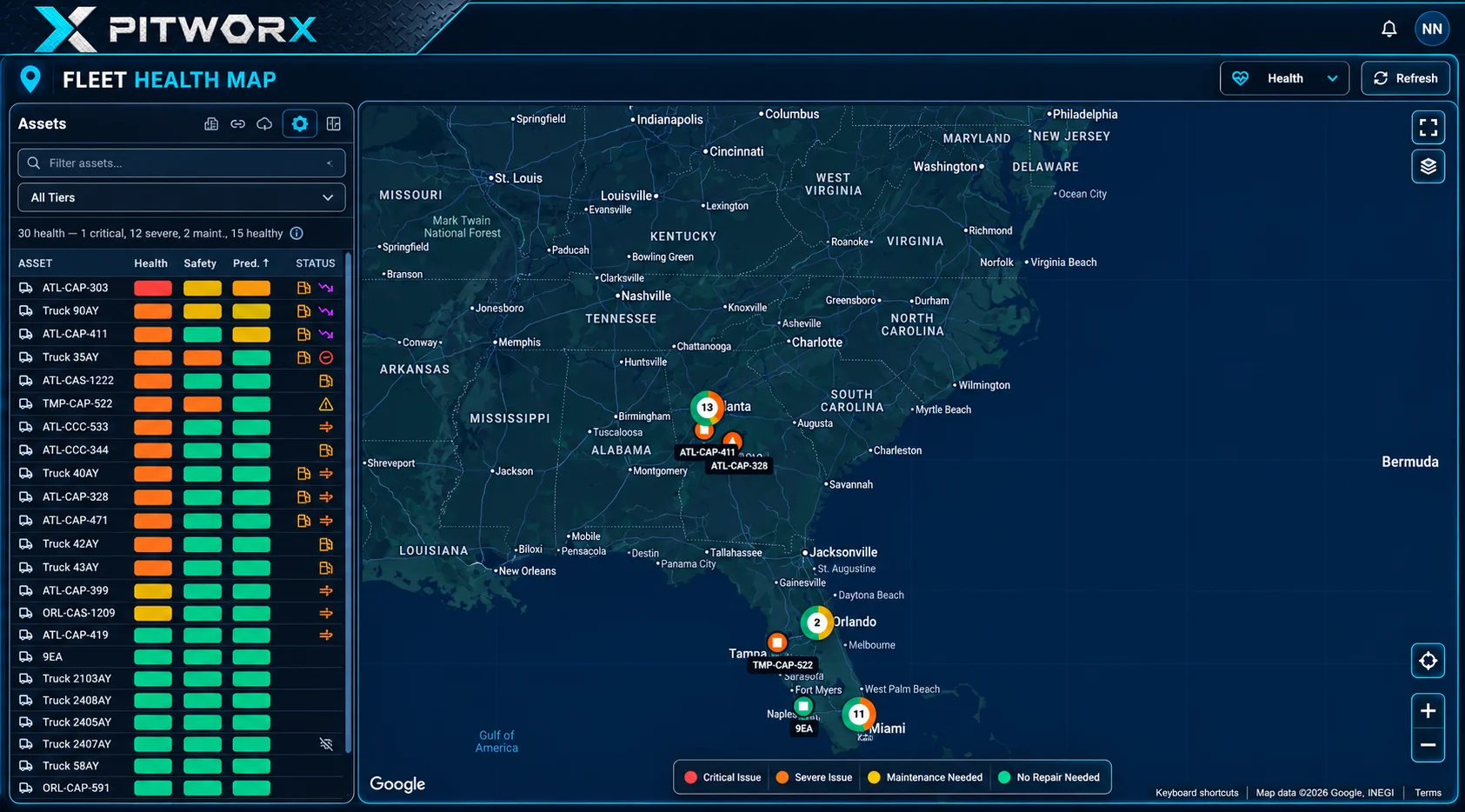
The health map puts every asset in one list beside a map of where the fleet is, color-coded from critical to healthy.
- Health, safety, and predictive indicators for every asset in one list
- Critical, severe, maintenance-needed, and healthy assets color-coded on the map and in the legend
- A summary count of assets by condition at the top of the list
- Refresh on demand to see the latest status
PitWorX Vehicle health map
Swipe to explore