Your challenges
What gets in the way today.
Work scattered across inboxes and calls
Quotes, approvals, and status updates are spread across email and phone calls, so nobody has the full picture.
Finding the right shop
When a vehicle needs help away from home, locating a reliable nearby shop slows everything down.
Vendors who need yet another login
Asking every outside shop to sign in to another system slows them down, and slows you down.
How PitWorX helps
The tools that remove the friction.
A day with PitWorX
How the work flows.
Receive the request
A service request arrives with the asset, the diagnosis, and the priority already attached.
Dispatch and compare
Send the job to a network or nearby shop and review quotes as they come in.
Approve and record
Approve the quote and the invoice on the work order, and the service lands in asset history.
Shop network
Find the right shop, nearby or in your network.
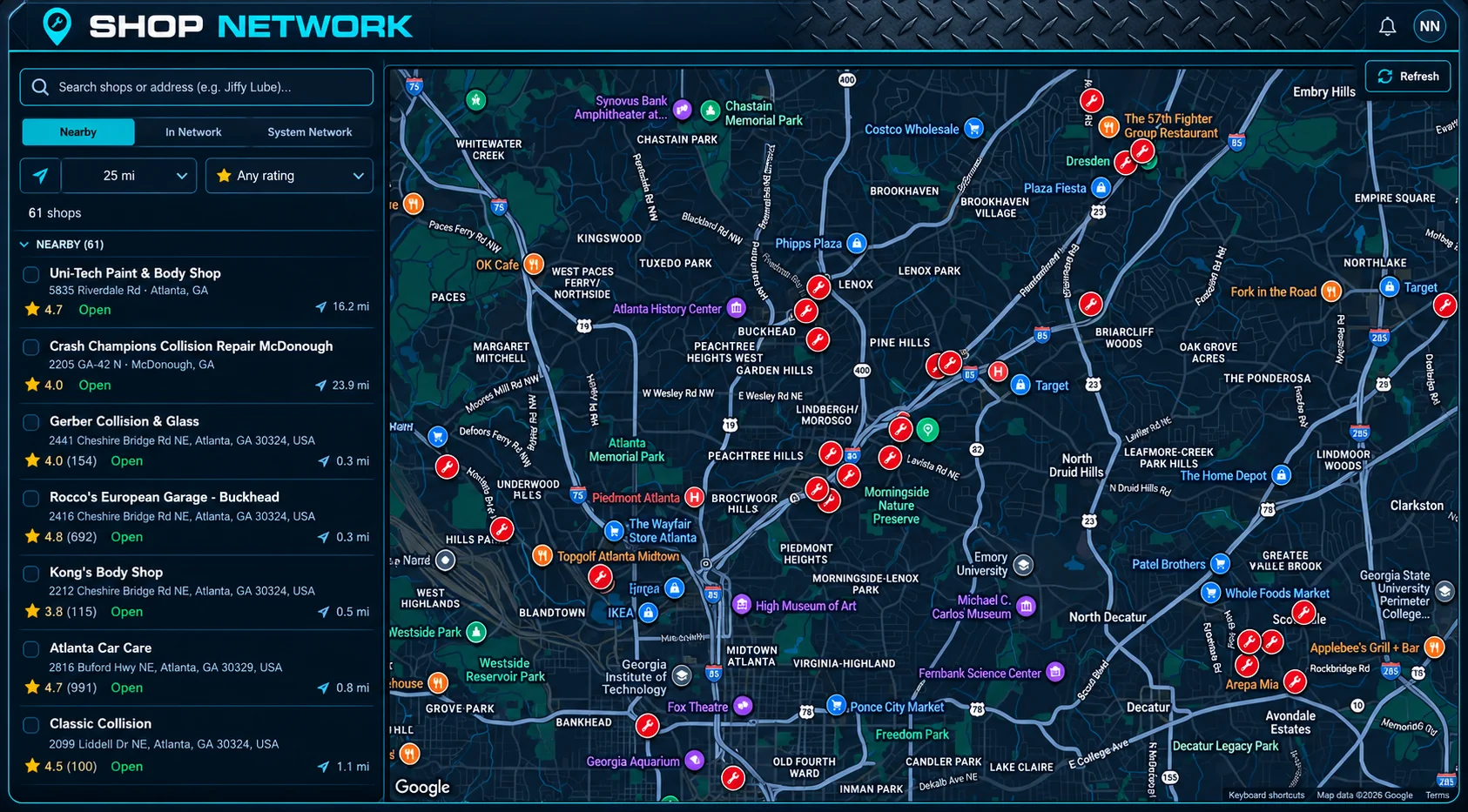
The shop network shows nearby providers on a map beside a list with ratings and distance, so you can choose the right shop for the job.
- Search by shop name or address
- Switch between Nearby, In Network, and System Network views
- Filter by distance and minimum rating
- See ratings, distance, and open status in the list while the map shows each location
PitWorX Shop network
Swipe to explore
AI Pit Crew
Repairs that start with context.
Because the AI Pit Crew attaches the diagnosis and recommended action to the request, shops know what they are walking into before they pick up the job.