Dashboard
Begin with current work, compliance, and cost indicators.
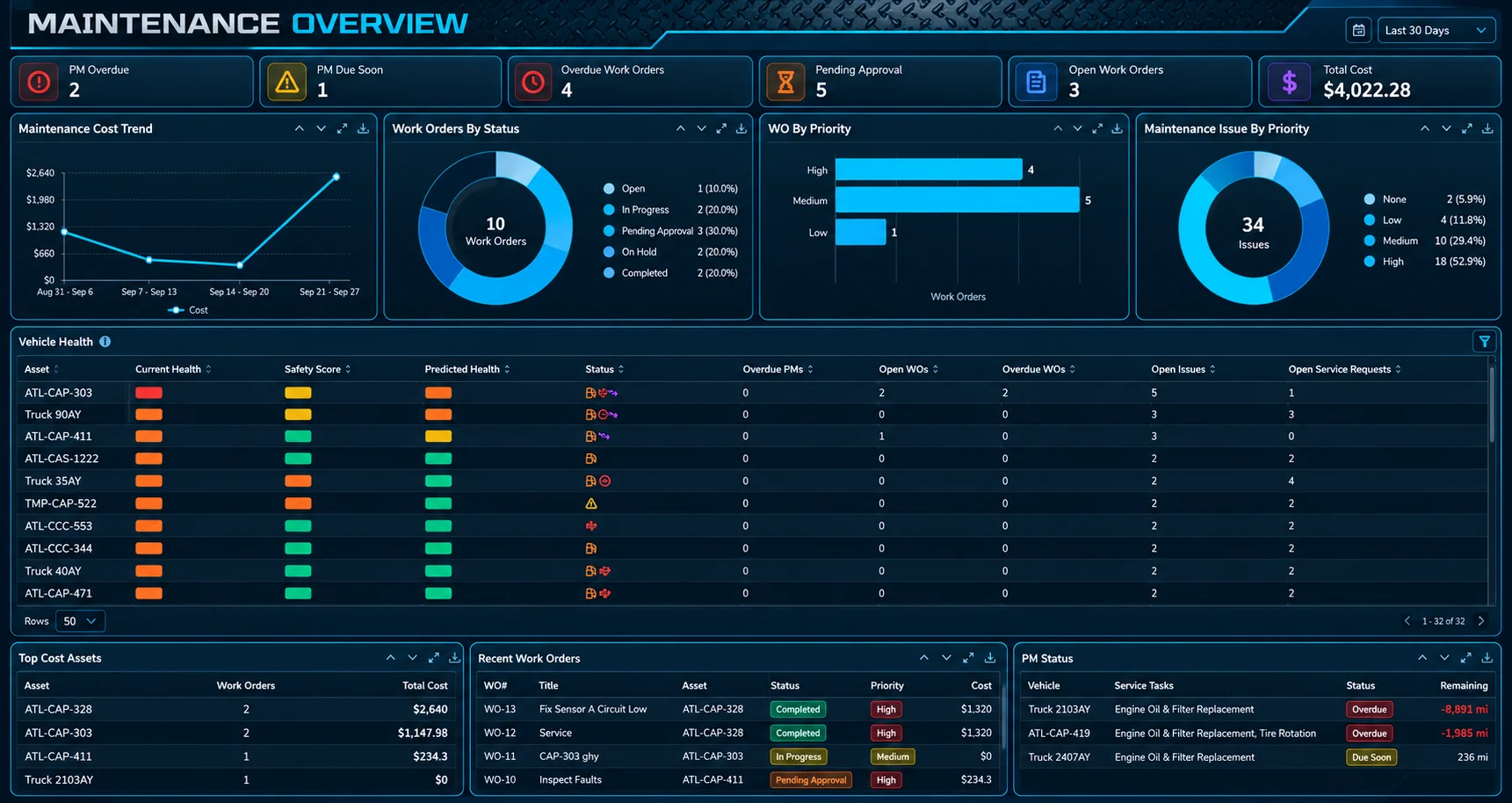
The maintenance overview shows KPIs, charts, and recent work orders for a selected date range. Click through to work orders, PM compliance, or related lists.
Widgets cover cost by month, labor versus parts, spend by shop, VMRS categories, PM compliance, and top-cost assets.
Maintenance overview
Current work, compliance, and cost on one screen.
The dashboard is the starting point for every maintenance conversation, with each widget one click from the records behind it.
- KPIs and charts for the date range you choose
- Recent work orders with click-through to the detail
- Cost, PM compliance, and top-cost assets side by side
PitWorX Maintenance overview
Swipe to explore
Decisions enabled
Maintenance cost allocation
Review maintenance cost by month, labor versus parts mix, and spend by shop or VMRS category.
High-cost asset identification
Identify high-cost units from dashboard widgets and maintenance cost analysis reports.
Preventive maintenance compliance
PM compliance views show overdue, due soon, and on-schedule assets across service programs.
Reports
Deliver decision-ready maintenance cost analysis.
Use the report builder and maintenance templates, including maintenance cost analysis, to review spend by asset and category.
Analytics support cost review and planning. They do not replace your accounting system for payables.